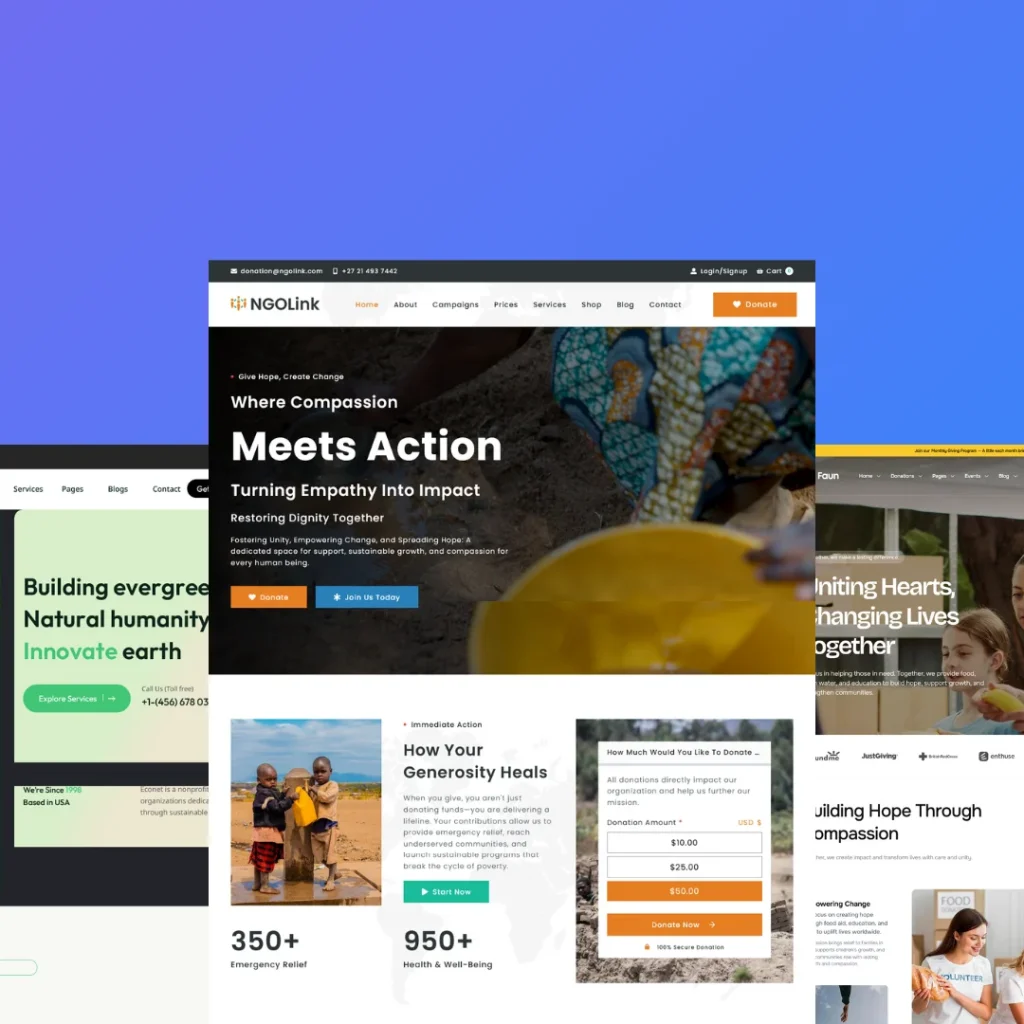

The digital landscape has changed dramatically in 2026. Modern websites are no longer judged only by how they look—they’re evaluated based on speed, accessibility, user experience, responsiveness, SEO performance, and functionality.
Many businesses still struggle with outdated WordPress websites that are slow, difficult to maintain, and filled with plugin conflicts, broken layouts, and poor user experiences.
If your website isn’t converting visitors into customers, chances are that your design and functionality need an upgrade.
In this guide, we’ll explore the most common WordPress website issues in 2026, practical coding solutions, and how a professional development team can transform your website into a high-performing digital asset.
Why WordPress Websites Need Regular Updates
Technology evolves quickly.
Google continuously updates its ranking algorithms.
Users expect lightning-fast websites.
Accessibility standards continue to improve.
Modern CSS and JavaScript frameworks provide smoother interactions.
Older WordPress websites often suffer from:
- Slow loading pages
- Poor mobile responsiveness
- Outdated themes
- Plugin conflicts
- Security vulnerabilities
- Broken page layouts
- Poor Core Web Vitals
- Weak conversion rates
Updating your website isn’t just about aesthetics—it’s about improving business performance.
Common Backend Problems in WordPress
1. Too Many Plugins
Installing dozens of plugins creates conflicts, slows performance, and increases security risks.
Solution
- Remove unused plugins.
- Replace multiple plugins with custom code.
- Use lightweight development practices.
2. Theme Conflicts
Many premium themes include unnecessary features that slow websites.
Solution
Use a lightweight custom theme designed specifically for your business requirements.
Benefits include:
- Faster loading
- Cleaner code
- Better SEO
- Easier maintenance
3. Slow Database
Old revisions, spam comments, and unused tables make WordPress sluggish.
Solution
Regularly optimize:
- Database tables
- Post revisions
- Transients
- Spam comments
4. Poor Security
Common issues include:
- Weak passwords
- Outdated plugins
- No firewall
- Unsecured login pages
Solution
Implement:
- Two-factor authentication
- Login rate limiting
- Daily backups
- Malware scanning
- Security headers
5. Plugin Compatibility Issues
Updating one plugin often breaks another.
Solution
- Test updates on a staging website.
- Maintain version compatibility.
- Replace abandoned plugins.
Frontend Problems That Hurt User Experience
Modern visitors decide within seconds whether to stay or leave.
Common frontend issues include:
- Cluttered layouts
- Tiny buttons
- Poor typography
- Inconsistent spacing
- Slow animations
- Difficult navigation
- Weak call-to-action sections
Modern Website Design Trends in 2026
Successful WordPress websites now focus on:
- Clean minimal layouts
- Large typography
- Glassmorphism
- Soft gradients
- Smooth hover effects
- Interactive buttons
- Scroll animations
- Dark mode compatibility
- Accessibility
- AI-assisted search
- Mobile-first design
Example: Old Button vs Modern Interactive Button
Old HTML
<button>Contact Us</button>Basic appearance with little visual appeal.
Modern HTML
<a href="/contact" class="modern-btn"> Get Free Consultation </a>Modern CSS
.modern-btn{
     display:inline-block;
     padding:16px 34px;
     border-radius:50px;
     background:linear-gradient(135deg,#3b82f6,#06b6d4);
     color:#fff;
     text-decoration:none;
     font-weight:600;
     transition:.35s ease;
     box-shadow:0 12px 25px rgba(0,0,0,.18);
}

.modern-btn:hover{
     transform:translateY(-4px) scale(1.03);
     box-shadow:0 18px 40px rgba(0,0,0,.25);
}

.modern-btn:active{
     transform:scale(.97);
}Result
- Premium appearance
- Better engagement
- Mobile friendly
- Higher click-through rate
Modern Card Design Example
HTML
<div class="feature-card">
     <h3>Fast Performance</h3>
     <p>Optimized WordPress websites built for speed and SEO.</p>
</div>
CSS
.feature-card{
     background:#fff;
     border-radius:20px;
     padding:30px;
     transition:.35s;
     box-shadow:0 12px 40px rgba(0,0,0,.08); }

.feature-card:hover{
     transform:translateY(-10px);
     box-shadow:0 20px 60px rgba(0,0,0,.15);
}
Fast Performance
Optimized WordPress websites built for speed and SEO.
Better Forms Increase Conversions
Instead of asking users to fill ten fields, keep forms short.
Good forms include:
- Name
- Phone
- Message
Shorter forms generally lead to more inquiries.
Improve Website Speed
Optimization techniques include:
- WebP image conversion
- Lazy loading
- CDN integration
- Browser caching
- CSS and JavaScript minification
- Font optimization
- Server-side caching
- Database optimization
Accessibility Matters in 2026
Every website should include:
- Keyboard navigation
- Proper heading structure
- ARIA labels
- High color contrast
- Alt text for images
- Visible focus indicators
Accessibility not only helps users but also supports SEO.
SEO and Design Must Work Together
Beautiful websites that aren’t optimized rarely rank well.
Modern WordPress SEO includes:
- Schema markup
- Fast loading speed
- Mobile optimization
- Internal linking
- Optimized images
- Semantic HTML
- Clean URLs
- Proper heading hierarchy
Common WordPress Problems Businesses Face
- Website looks outdated
- Slow loading speed
- Low Google rankings
- Broken layouts after updates
- Plugin conflicts
- Poor mobile responsiveness
- Difficult content management
- Security issues
- High bounce rates
- Low conversion rates
- Poor user engagement
Ignoring these problems can cost your business valuable traffic, leads, and sales.
Why Professional WordPress Development Matters
A professional WordPress development team doesn’t simply install a theme—they build a website that aligns with your business goals.
Key advantages include:
- Custom development
- Clean code
- Scalable architecture
- Faster performance
- Better security
- Easier maintenance
- SEO-friendly structure
- Improved user experience
How Solvintix Solves WordPress Website Problems
At Solvintix, we believe every successful website starts with understanding the client’s business, not just the technical requirements.
We Listen First
Before writing a single line of code, we take time to understand:
- Your business objectives
- Your target audience
- Current website challenges
- Competitor landscape
- Conversion goals
- Future growth plans
Our Approach
Every project follows a structured process:
- Requirement gathering
- Website audit
- Problem identification
- UX and UI planning
- Custom design
- Development
- Performance optimization
- Testing across devices and browsers
- SEO implementation
- Launch and ongoing support
Our Mindset
We don’t believe in one-size-fits-all solutions.
Every business deserves a website that is:
- Fast
- Secure
- Scalable
- User-friendly
- Conversion-focused
- Easy to manage
Problems We Solve
We help businesses overcome:
- Outdated WordPress designs
- Slow websites
- Plugin conflicts
- Poor mobile experiences
- Broken layouts
- Security vulnerabilities
- SEO issues
- Low conversion rates
- Poor user engagement
- Website maintenance challenges
Our goal is to deliver websites that not only look modern but also perform exceptionally well.
Ready to Upgrade Your WordPress Website?
Whether you need a complete website redesign, backend optimization, frontend improvements, custom WordPress development, or performance enhancements, Solvintix is here to help.
Our team combines creative design, clean coding practices, SEO best practices, and a user-first approach to build websites that drive measurable business results.
Hire Solvintix today and transform your website into a faster, smarter, and more engaging digital experience.
Email: info@solvintix.com
Frequently Asked Questions (FAQs)
Q1. Why should I redesign my WordPress website in 2026?
A website redesign helps improve loading speed, mobile responsiveness, user experience, security, accessibility, and search engine rankings. Modern design trends and updated functionality also increase user engagement and conversion rates.
Q2. What are the most common WordPress backend issues?
Common backend issues include plugin conflicts, outdated themes, slow database performance, security vulnerabilities, broken updates, excessive plugins, and poor website maintenance practices.
Q3. How can I improve my WordPress website’s loading speed?
You can improve speed by optimizing images, enabling browser caching, using a Content Delivery Network (CDN), minimizing CSS and JavaScript files, implementing lazy loading, optimizing the database, and choosing high-performance hosting.
Q4. Why is mobile responsiveness important for WordPress websites?
More than half of web traffic comes from mobile devices. A responsive website ensures your content displays correctly across all screen sizes, improves user experience, and supports better SEO rankings.
Q5. How do modern HTML and CSS improve website design?
Modern HTML5 and CSS3 allow developers to create interactive buttons, smooth animations, responsive layouts, glassmorphism effects, gradients, and engaging user interfaces without relying on heavy plugins.
Q6. Can custom WordPress development reduce plugin dependency?
Yes. Custom WordPress development replaces unnecessary plugins with clean, optimized code, improving website speed, security, stability, and long-term maintainability.
Q7. How often should I update my WordPress website?
It’s recommended to update your WordPress core, themes, and plugins regularly. Regular maintenance helps prevent security risks, compatibility issues, and performance problems.
Q8. What frontend improvements provide the best user experience?
Key frontend improvements include intuitive navigation, clear call-to-action buttons, fast page loading, responsive layouts, modern typography, smooth animations, accessible design, and optimized forms that make it easier for visitors to interact with your website.
Q9. How does Solvintix approach a WordPress website redesign?
Solvintix begins by understanding your business goals, identifying technical and design challenges, auditing your current website, planning the user experience, and delivering a custom solution focused on performance, security, SEO, and conversions.
Q10. How can I hire Solvintix for WordPress website design or development?
If you’re looking to redesign your website, improve performance, resolve backend issues, or build a custom WordPress solution, contact Solvintix today. Email us at info@solvintix.com to discuss your project and receive a tailored solution.